SpeechTrans Translation6.4.9.10.4
Publisher Description
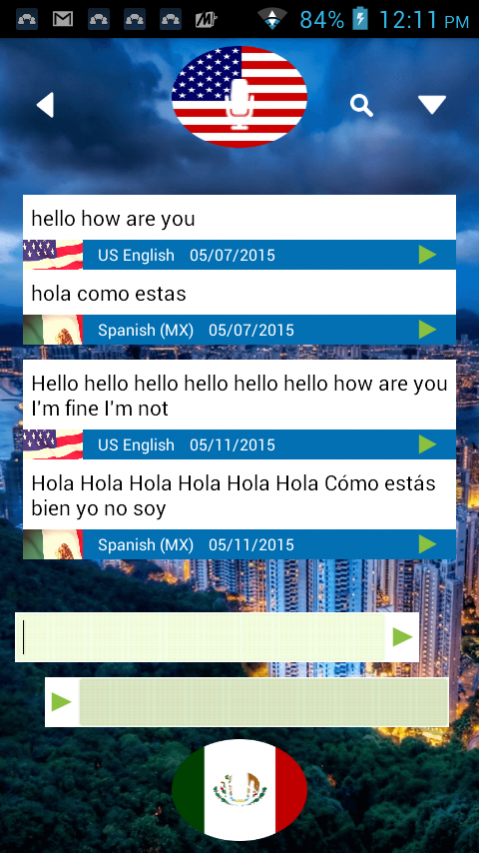
Best FREE Travel Tool, Dictate/Translate Voice and Text
Communicate with ease and learn a new language in the process!
Product features include:
• SPEECHTRANS Translation : For Translating Voice and Text
SpeechTrans works to translate both voice and text-based communication in the following supported languages:
• Arabic (UAE, Egypt, Saudi)
• Catalan
• Chinese
• Croatian
• Czech
• Danish
• Dutch
• English (US, UK, Australia)
• French (EU, Canada)
• German
• Greek
• Haitian Creole
• Hebrew
• Hungarian
• Indonesian
• Italian
• Japanese
• Korean
• Malaysian
• Norwegian
• Polish
• Portuguese (EU, Brazil)
• Romanian
• Russian
• Slovakian
• Spanish (EU, US, Mexico)
• Swedish
• Taiwanese
• Thai
• Turkish
• Ukrainian
• Vietnamese
Speak naturally and understand foreign languages within a matter of seconds thanks to SpeechTrans.
This App is completely Free and can remain Free even after the 7 day Trial Expires. You can either register for $1.99/month or you can Earn Free Points to continue using SpeechTrans for Free. Please open the language selection screen > Earn Points. The app is 100% free when you do that. This is a service that allows us to give free access to services which cost us money, such as unlimited phone calling internationally and voice translation. Earn Free points by watching a video or downloading Free apps
About SpeechTrans Translation
The company that develops SpeechTrans Translation is SpeechTrans TM. The latest version released by its developer is 6.4.9.10.4.
To install SpeechTrans Translation on your Android device, just click the green Continue To App button above to start the installation process. The app is listed on our website since 2015-05-15 and was downloaded 41 times. We have already checked if the download link is safe, however for your own protection we recommend that you scan the downloaded app with your antivirus. Your antivirus may detect the SpeechTrans Translation as malware as malware if the download link to com.nuance.nmdp.translation is broken.
How to install SpeechTrans Translation on your Android device:
- Click on the Continue To App button on our website. This will redirect you to Google Play.
- Once the SpeechTrans Translation is shown in the Google Play listing of your Android device, you can start its download and installation. Tap on the Install button located below the search bar and to the right of the app icon.
- A pop-up window with the permissions required by SpeechTrans Translation will be shown. Click on Accept to continue the process.
- SpeechTrans Translation will be downloaded onto your device, displaying a progress. Once the download completes, the installation will start and you'll get a notification after the installation is finished.
